Learn how URL encoding and decoding work, how to fix percent-encoding typos and double-encoding errors, and how to safely encode or decode a URL yourself.

Written & Verified By: GuideNetWorth Editorial Team
🛡️ Fact-Checked for Web Development Accuracy | Updated: July 2026
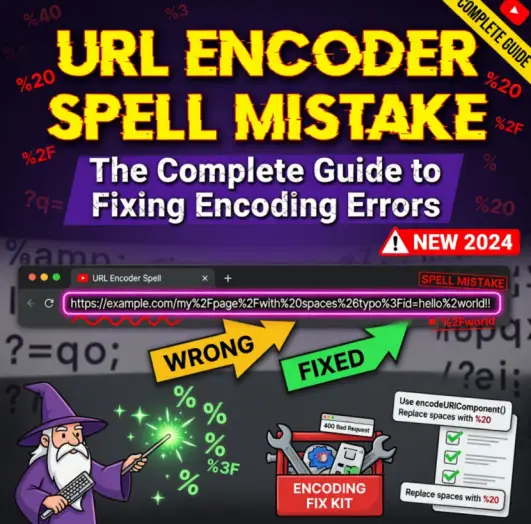
If you manage digital marketing campaigns or frequently build custom query strings, you have likely encountered a broken tracking link. A URL encoder spell mistake is a specific type of formatting error where a percent-encoded character is mistyped, causing the destination server to misinterpret the data.
Because standard URLs can only safely transmit a limited set of ASCII characters, special characters (like spaces, ampersands, and equal signs) must be converted into a strict percent-encoded format. When a human manually types these codes and makes a slight error, the result is usually a 404 page or corrupted analytics data. This guide covers how the encoding actually works, how to encode or decode a URL yourself, where typos and double-encoding tend to sneak in, and how to fix a broken string once you’ve found it.
+
1. The Mechanics of Percent-Encoding
The internet runs on the Uniform Resource Identifier (URI) syntax standard. Under this standard, a URL cannot contain raw spaces, symbols, or non-ASCII characters. To get around this limitation, browsers use percent-encoding.
Percent-encoding replaces unsafe characters with a “%” followed by two hexadecimal digits representing the character’s ASCII value. For example, a raw space becomes %20. When you send a link containing %20 to a server, the server automatically decodes it back into a space before processing the request.
Decoding is just the reverse operation: a decoder scans the string for “%” followed by two hex digits, converts each pair back into its original character, and leaves everything else untouched. Encoding and decoding are mirror processes — you’ll usually need both, depending on whether you’re preparing a URL to send or reading one you’ve received.
2. How to Encode or Decode a URL Yourself
You don’t need to memorize hex codes to handle this correctly day to day. A URL encoder/decoder tool does the conversion for you — here’s the basic workflow that applies to virtually any tool of this kind:
- Paste your text or URL into the input field. This can be a full link, a single parameter value, or a block of raw text containing special characters.
- Choose the operation. Select “Encode” if you’re starting from plain text and need a URL-safe version, or “Decode” if you already have a percent-encoded string and want to read the original text.
- Review the output. The converted string appears in a separate output box — check it against what you expected before using it live.
- Copy and use it in your query string, tracking link, API request, or wherever the URL is headed next.
One habit worth building: always decode a suspicious link before you re-encode it. If you encode a string that’s already encoded, you trigger the double-encoding problem covered next — one of the most common ways tracking links break.
3. How URL Encoder Spell Mistakes Happen
Human Error in Query Strings
The most common source of encoding errors occurs when marketers manually build UTM parameters for ad campaigns. Instead of using a dedicated URL builder tool, someone might try to type the encoding by memory. Typing a lowercase %2b instead of a capital %2B (the code for a plus sign) might be rejected by older, strictly case-sensitive servers, resulting in a broken link.
The Double Encoding Trap
Double encoding is the absolute bane of automated link building. This happens when a script takes a string that is already encoded and encodes it a second time. Because the percent symbol ( % ) is technically an unsafe character, the encoder converts the % into its hexadecimal value, which is %25.
If you have a space (%20) and run it through an encoder again, it becomes %2520. When a user clicks that link, the server decodes it once (turning %2520 back into %20) and stops. The server then tries to load a page literally named “%20” instead of a blank space, resulting in an immediate 404 error.
4. Reference Table: Common URL Encoding Characters
If you frequently build or troubleshoot links, you need to recognize these core encoding values to quickly spot typos in your query strings.
| Character | URL Encoded Value | Why It Causes Errors |
|---|---|---|
| Space ( ) | %20 (or +) |
Browsers break links if raw spaces are present. |
| Ampersand (&) | %26 |
Using a raw & will prematurely split your query string parameters. |
| Equal Sign (=) | %3D |
Used to assign values in parameters; if unencoded inside data, it corrupts the string. |
| Percent (%) | %25 |
The root cause of double-encoding loops. |
| Forward Slash (/) | %2F |
Servers misread raw slashes as new directory paths. |
| Question Mark (?) | %3F |
A raw ? inside a value is read as the start of a new query string. |
| Hash / Pound (#) | %23 |
An unencoded # truncates the URL at that point, since it marks a page fragment. |
| Plus Sign (+) | %2B |
A raw + in a query string is often interpreted as a space, corrupting the intended value. |
| At Sign (@) | %40 |
Reserved for user-info syntax in URLs; unencoded use can confuse parsers. |
5. Where This Actually Matters
Percent-encoding isn’t just a web-development detail — it shows up anywhere URLs carry structured data:
- Web development: form submissions, redirects, and file paths all depend on correctly encoded special characters to resolve to the right resource.
- Marketing and analytics: UTM parameters need consistent encoding, or campaign data shows up broken or misattributed in your analytics dashboard.
- APIs and query strings: most REST APIs reject or misparse a request if a parameter value contains an unencoded space, ampersand, or equal sign.
- Data transmission generally: any time a value needs to travel safely inside a URL — file names, search terms, user input — encoding is what keeps it in one piece.
6. How to Troubleshoot and Fix Corrupted Links
Never attempt to manually debug a heavily encoded 200-character query string by sight alone. The human eye easily misses a lowercase “b” or an extra “25” buried in the text.
Instead, use a dedicated URL Decode and Encode tool. Paste the broken, unreadable string into the decoder side, and it instantly translates the hexadecimal codes back into raw plaintext. From there, you can read the intended parameters, fix the spelling mistake or remove the double encoding, and then encode it again to generate a clean, machine-readable URL. If the decoded output still contains a stray %25, that’s your signal the string was encoded more than once — decode it a second time to fully unwrap it.
7. Frequently Asked Questions
Q
Why do I see %2520 in my links?
This is a classic double-encoding error. A space was correctly encoded to %20, but the software incorrectly encoded the string a second time, turning the % into %25.
Q
Can I just use a plus sign (+) instead of %20?
Yes, but only in the query string portion of the URL (everything after the question mark). In the actual file path of the URL, you must use %20.
Q
Is URL encoding case sensitive?
Technically, the hexadecimal digits in percent-encoding are case-insensitive. However, standard best practices dictate using uppercase letters (like %2B instead of %2b) to avoid compatibility issues with older servers.
Q
How do I encode or decode a URL without writing code?
Paste the text into any URL encoder/decoder tool, pick Encode or Decode, and copy the result — no coding knowledge required for standard percent-encoding conversions.
Q
Is URL encoding the same thing as Base64 encoding?
No. URL encoding (percent-encoding) converts unsafe characters into %XX hex codes so text is safe inside a URL. Base64 encoding turns binary data into text using a completely different alphabet, and its output isn’t URL-safe on its own — it often needs a separate layer of URL encoding if used inside a link.
Key Takeaways
- Percent-encoding replaces unsafe characters with a % followed by two hex digits — a space becomes %20.
- Double encoding (encoding an already-encoded string) is the most common cause of broken tracking links, turning %20 into %2520.
- Manual typos — like lowercase %2b instead of %2B — can break links on older, case-sensitive servers.
- Always decode a suspicious link first before re-encoding it, to avoid stacking encodings.
- Use a dedicated encoder/decoder tool rather than eyeballing a long, corrupted query string.
Conclusion
A single mistyped character in a percent-encoded string is enough to break an entire marketing campaign. By understanding the core hexadecimal codes — like %20 for spaces and %26 for ampersands — and aggressively avoiding double-encoding loops, you keep your data tracking accurately. When in doubt, always run complex strings through an automated decoder rather than relying on manual spell checks.
References & Sources
This article has been fact-checked and verified against multiple public sources, financial disclosures, SEC filings, Forbes reports, Celebrity Net Worth databases, and official records. All net worth estimates are based on publicly available information and financial analysis.