Last updated: July 2026
A Gimkit code takes ten seconds to share. Running a session that actually teaches something takes a bit more thought, and that gap is exactly where most teachers get stuck the first few times they host.
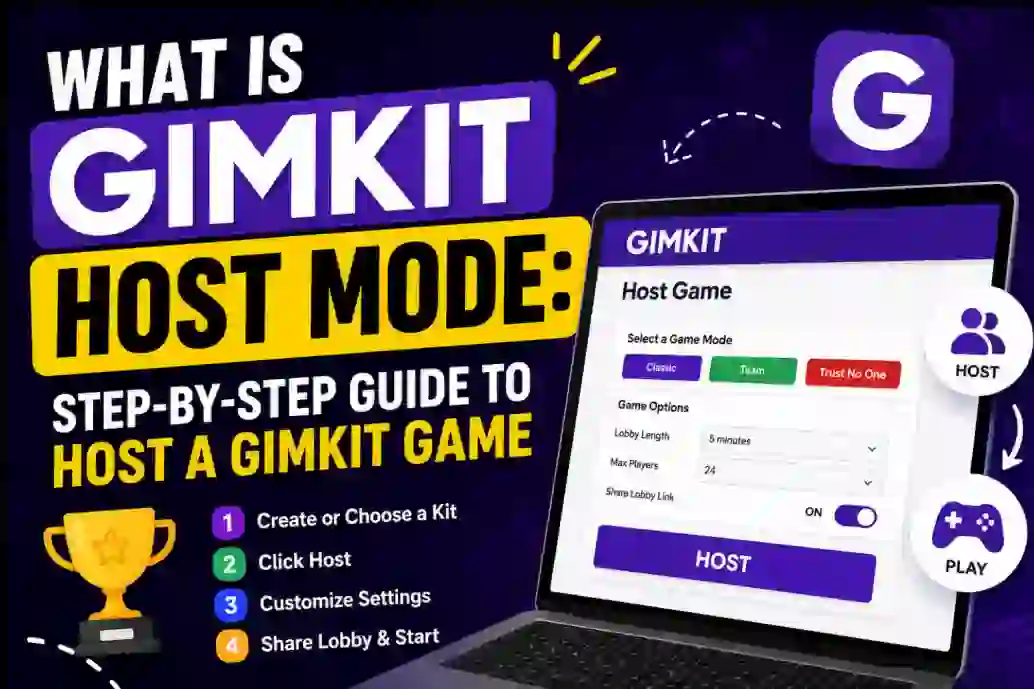
This guide walks through the whole hosting process in order: building a kit, picking a game mode, tuning the settings that actually matter, running the live session, and reading the report afterward without getting lost in the numbers.
+
Understanding Gimkit Hosting
Hosting, in Gimkit terms, means you’re not just launching a quiz — you’re setting up an entire mini-economy. Students earn in-game currency for correct answers, then spend it on power-ups, upgrades, or cosmetic items depending on the mode. Your settings decide how fast that economy moves.
Four things sit under your control as host:
- The kit — the actual questions and answers driving the round.
- The game mode — how students interact with those questions (solo grind, team battle, social-deduction, or a 2D map).
- The settings — win conditions, question timing, power-up availability, late joins, and sound.
- The report — the data you get back once the round ends.
Get the mode and settings right for your group, and the questions almost host themselves.
Starting Ahead: Your First Hosting Mission
Before touching game modes or settings, you need one thing ready: a kit. Everything downstream depends on it, so it’s worth treating as the actual foundation rather than a box to check quickly.
Step 1: Developing your arsenal- creating the best kit
You’ve got four real paths to a usable kit, and they’re not mutually exclusive — most hosts end up mixing two or three over a semester.
Build from scratch
Typing in your own questions gives you the tightest content-to-curriculum match. Mix formats where you can — multiple choice for speed, text-entry for anything you don’t want students guessing their way through, and an image now and then to break up a run of pure text.
Import existing content
If you’ve already got a Quizlet set or a spreadsheet of questions, Gimkit can pull that in rather than making you retype everything. This is the fastest route if you’re converting an old worksheet into something live.
KitCollab
This is the one most hosts sleep on. Turn on KitCollab before a session, share the link, and students submit their own questions — the class can then vote on the ones that make the final cut, and you approve or edit before anything goes live. Students writing (and voting on) the questions changes how invested they are before the game even starts.
Copy from the community
Gimkit’s public kit library covers most standard topics. Find something close, copy it into your account, and edit the parts that don’t quite match your unit. It beats starting from a blank screen every time.
Step 2: Choosing the Game Mode
This is where Gimkit actually separates itself from a standard multiple-choice quiz tool. The mode you pick changes the entire feel of the session, not just the visuals.
| Mode | How It Plays | Best For |
|---|---|---|
| Classic | Solo play, answer questions, earn and spend currency on upgrades | Quick reviews, warm-ups, first-time hosting |
| Team Mode | Earnings pool into a shared team total | Collaborative review, mixed-ability grouping |
| Trust No One | Social-deduction — some players are secret “imposters” who can sabotage others while everyone answers questions | Higher-energy review days, older students |
| Humans vs. Zombies | Two factions face off; correct answers let players Sabotage, Repair, or Strengthen | Whole-class competitive review |
| The Floor Is Lava / 2D-map modes | Answering correctly earns coins to move across a live map | Longer sessions, sustained focus |
| Boss Battle | The whole class (or teams) work together against a shared “boss” objective | End-of-unit reviews, big collaborative pushes |
| Groups | Temporary squads for one live session only | One-off team activities without permanent groupings |
One detail worth knowing before you pick: Groups mode doesn’t hide individual performance just because students played on a team. Your after-game report still breaks out each student’s accuracy and earnings alongside the team score, so you’re not trading data for teamwork.
Step 3: Refining the Experience- Host Game Options and Settings
Default settings work fine for a first run, but this is the layer that turns an okay session into one that actually fits your class.
Set the win condition
Decide what ends the game — a cash target, a map finish line, or a shared team objective. That choice alone shapes how competitive or cooperative the round feels.
Balance the economy
Starting cash, per-question payout, and power-up prices all interact. If coins pile up too fast, power-ups stop feeling meaningful and the game turns into a formality. If earning is too slow, students disengage before the round is half over. Nudge these numbers a little each time rather than guessing at the extremes.
Control flow and accessibility
Late joins, whether eliminated players can keep playing, which power-ups are active, and music/SFX volume all live here. For younger or easily distracted groups, dialing down sound and simplifying power-ups usually keeps the focus on the actual questions.
Question flow and identity
You can set a time limit per question, randomize question order so answers don’t get shared down the row, and choose whether students play under real names or nicknames. Nicknames lower anxiety around a public leaderboard — just set expectations first, since an unmoderated nickname field in a room full of teenagers goes about how you’d expect.
Step 4: Invite Your Students
Once the kit’s loaded and settings are set, Gimkit generates a join code. Students go to the platform’s play page and enter it — no account required for basic play, though signed-in students keep XP, streaks, and cosmetic unlocks across sessions.
Give the lobby a minute to fill before launching. It’s also a good ten seconds to remind students which mode you’re running and what wins the round, since a quick heads-up before “Start Game” cuts down on confused questions once play begins.
Step 5: The Insightful After-game Report
The report is where hosting pays off, and it’s easy to skip past once the energy of the live round has died down. Don’t — this is genuinely the more useful half of the exercise.
Class overview
Winners, overall accuracy, and answer pace at a glance. Good for a thirty-second read right after the bell.
Individual performance
Per-student accuracy over a few sessions starts showing real patterns — which students consistently miss the same type of question, not just who had a bad round. That’s the difference between a grade and a diagnosis.
Question analysis
If most of the class missed the same question, that’s rarely a coincidence. It usually means the question was worded ambiguously, or there’s a genuine gap in how the material was taught — worth revisiting either way.
Power-up and spending patterns
Which upgrades students actually bought (versus ignored) tells you whether your economy settings landed right, which is useful information for tuning the next session rather than guessing again.
Expand Your Gimkit Hosting Toolkit
Assign it as homework
Live hosting isn’t the only option. You can set a kit with a deadline for students to complete on their own schedule, and Gimkit still generates the same detailed report once everyone’s finished. This feature sits behind Gimkit Pro rather than the free Basic plan.
Gimkit Creative
Launched in 2023, Gimkit Creative lets you build a custom 2D map — optionally with up to 60 collaborators working on it at once. You place question checkpoints, build the layout with (or without) student help, and then host a live game on the map your class built together.
Student accounts, briefly
Accounts aren’t required, but they unlock XP, streaks, and cosmetic purchases (skins, pets) using in-game currency. None of it affects grading — it’s just enough of a progress system to bring students back for the next round.
Best Tips for Gimkit Hosting
- Start with Classic mode. Learn the settings on the simplest format before layering on Trust No One or a Creative map.
- Turn on KitCollab early. Reviewing student-submitted questions before launch catches errors and builds buy-in at the same time.
- Tune the economy in small steps. Adjust one variable — starting cash or a power-up price — rather than overhauling everything between rounds.
- Set nickname rules up front. A one-line expectation before the round starts prevents most of the problems.
- Actually read the report. The five minutes after class matter more than the twenty minutes of live play.
- Let a student host once they know the ropes. Running a review session teaches the material twice — once to prep the questions, once to explain them.
Gimkit Host Vs Student View- What Is the View of Each Side?
Knowing what students are looking at helps you read the room while you’re hosting.
| You See (Host) | They See (Student) |
|---|---|
| Live lobby with nicknames as students join | Question screen with answer choices and a live cash counter |
| Leaderboard updating in real time | Power-up shop to spend earned currency |
| Controls to pause, adjust settings mid-game, or end early | Their own rank plus classmates on the leaderboard |
| Full post-game report once the round ends | In 2D modes, a live map they navigate by answering correctly |
If the leaderboard slows down and fewer students are submitting answers, that’s usually the game telling you the economy or difficulty needs a mid-round adjustment — pause, tweak, and resume rather than pushing through a session that’s already lost the room.
Conclusion
The hosting controls are the actual product here, more than any single question bank. Once you’ve run a few rounds, you’ll start adjusting settings by instinct rather than guesswork, and the report will tell you exactly where that instinct was right or wrong.
Start with Classic mode and default settings. Once that feels comfortable, layer in KitCollab, then a team mode, then maybe a Creative map once you’ve got a feel for how your specific class responds to pacing and competition.
Frequently Asked Questions
Can KitCollab let bad questions into the game?
No — submitted questions land in a pending queue first. As the host, you approve or reject each one before it’s added to the live kit, so nothing goes out unreviewed.
Do students need an account to play?
No. A join code is enough for basic play. An account just adds XP, streaks, and cosmetic unlocks that carry over between sessions.
What’s the difference between Gimkit Basic and Gimkit Pro?
Basic is free and covers core hosting with limited modes and kit imports. Pro adds homework Assignments, more game modes, larger imports, and deeper reporting — pricing is set by Gimkit directly, so check their current plans before budgeting.
How long does a typical Gimkit session run?
Most live rounds land in the 5-10 minute range for a quick review. Team modes and Creative maps can run 15-25 minutes depending on the win condition you set.
Can I assign Gimkit as homework instead of hosting live?
Yes, through the Assignments feature on Gimkit Pro. Students complete the kit on their own schedule by a deadline, and you still get a full report once everyone’s done.
What is Gimkit Creative?
It’s a mode that lets you build a custom 2D map, with up to 60 collaborators if you want student input on the design, and place question checkpoints around it for students to answer as they explore.
Does Groups mode hide individual student data?
No. Even though students play as a squad, the report still shows each student’s individual accuracy and earnings alongside the team result.
Key Takeaways
- Hosting is four layers: the kit, the game mode, the settings, and the report — each one shapes the session as much as the questions do.
- KitCollab turns question-writing into a class activity and tends to boost buy-in before the game even starts.
- Game modes genuinely differ — Classic for quick review, Team Mode or Humans vs. Zombies for competitive group work, Trust No One for higher energy, Creative maps for longer sessions.
- Economy settings matter more than question difficulty for keeping engagement steady through an entire round.
- The after-game report is where formative assessment actually happens — individual patterns show up after two or three sessions, not one.
- Assignments (Pro) and Gimkit Creative extend hosting beyond the live classroom into homework and student-built environments.
Sources & References
- Gimkit Help Center: official documentation for hosting settings, KitCollab, and Pro features.
- Gimkit Pro FAQ: official pricing and feature-comparison reference.
- Gimkit.com: primary source for current game modes and platform updates.
References & Sources
This article has been fact-checked and verified against multiple public sources, financial disclosures, SEC filings, Forbes reports, Celebrity Net Worth databases, and official records. All net worth estimates are based on publicly available information and financial analysis.